
Goals
Set savings targets and track your progress with manual, account-linked, or net-worth tracking.
Goals help you save toward something specific — an emergency fund, a trip, a down payment — by setting a target and tracking your progress over time.
Creating a Goal
Go to Goals in the sidebar and click Add Goal. Fill in:
- Name: What you're saving for
- Target Amount: How much you want to reach
- Currency: The goal's currency
- Target Date (optional): When you want to reach it
- Tracking Type: How progress is measured (see below)
- Icon & Color: A visual identity for the goal
Tracking Types
The tracking type determines how Securo knows how much you've saved:
| Type | How progress is measured |
|---|---|
| Manual | You enter the current amount yourself and update it as you go |
| Linked Account | Progress follows the balance of a specific account |
| Linked Asset | Progress follows the value of a specific asset |
| Net Worth | Progress follows your total net worth |
Linked tracking keeps your goals up to date automatically — as the account, asset, or net worth changes, the goal's progress updates with it.
Progress and Status
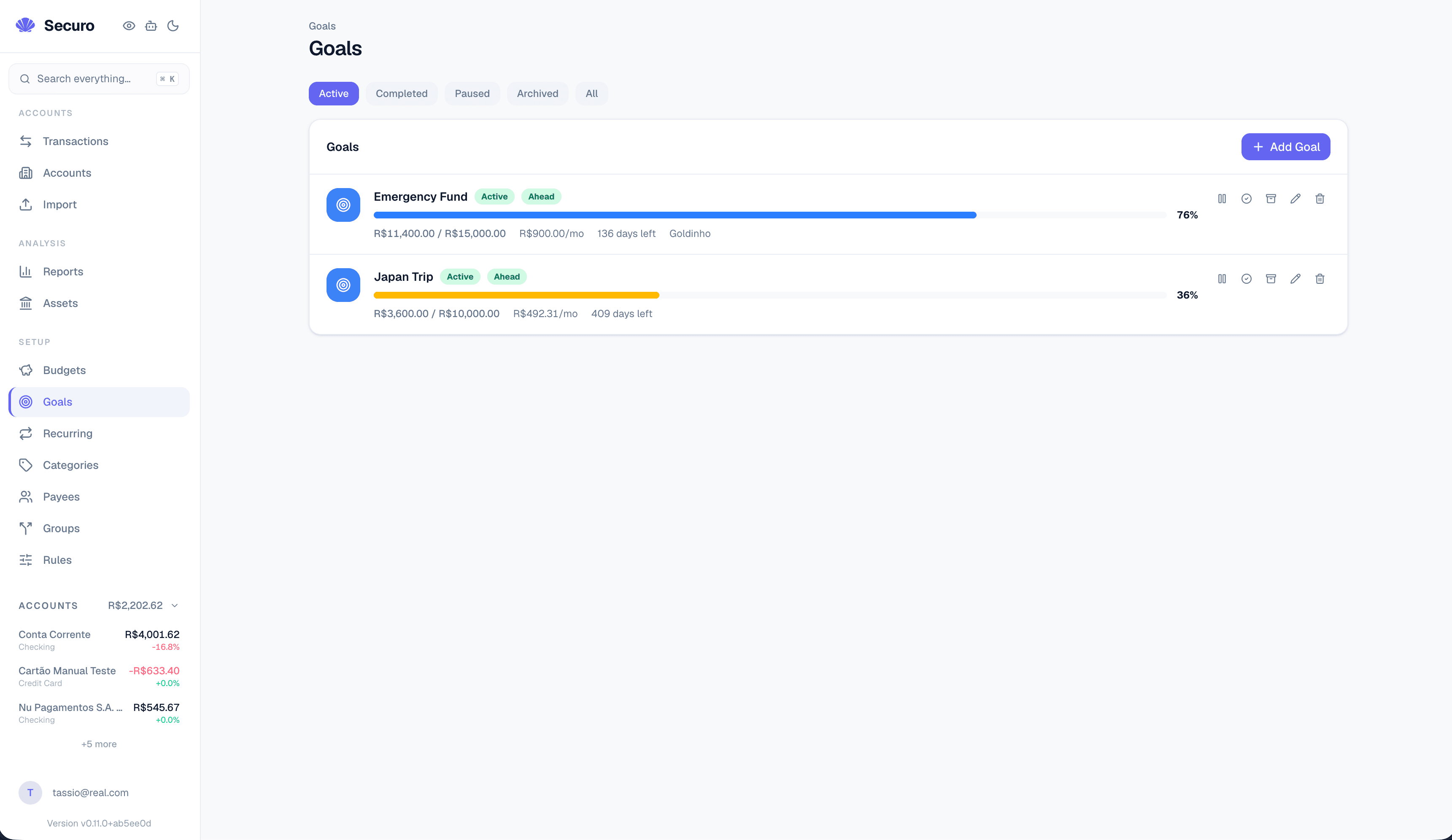
Each goal shows a progress bar and a percentage toward its target. When a goal has a target date, Securo also shows an on-track status so you know whether you're keeping pace:
| Status | Meaning |
|---|---|
| Ahead | You're saving faster than needed to hit the target on time |
| On Track | You're on pace to reach the target by the target date |
| Behind | You need to save faster to reach the target on time |
| Overdue | The target date has passed and the goal isn't complete |
| Achieved | The goal has been completed |
Managing Goals
Each goal has actions for its lifecycle:
- Pause / Resume: Temporarily stop tracking a goal, then pick it back up
- Mark Complete: Mark a goal as achieved
- Archive: Move a finished or abandoned goal out of the active list
- Edit / Delete: Change a goal's details or remove it
Use the Active, Completed, Paused, Archived, and All filters at the top of the page to switch between them.
Goals on the Dashboard
Active goals also appear in a Goals Progress widget on the Dashboard, with a compact progress bar and on-track status for each — so you see where you stand every time you open Securo.