
Loans
Track a mortgage, financing or personal loan by its contract: the payment schedule, the interest, the principal, and when it will actually be paid off.
A loan account records the debt you owe. Giving it its contract terms turns that account into a full loan tracker: Securo computes the payment schedule, splits every payment into interest and principal, and shows when the loan will be paid off, both on the contract's terms and at the rate you are actually paying it down.
Creating a Loan Account
On the Accounts page, create an account of type Loan (an existing account can only switch to or from Loan while it has no transactions). The account holds the outstanding debt, shown as a negative balance.
Open the account's settings and fill in Contract terms (optional, but everything below needs them):
| Field | What it is |
|---|---|
| Loan type | Home financing, vehicle financing, personal loan, student loan, or other |
| Amount borrowed | The original principal |
| Interest rate and rate period | The rate, declared per month, per year (effective), or per year (nominal, APR) |
| Term (months) | How many installments the contract runs |
| First payment | The date of the first installment |
| Amortization | Fixed payment (Price), the flat-installment system most common in Brazil, or Fixed principal (SAC), where the principal is constant and the payment falls over time |
The Loan Contract Card
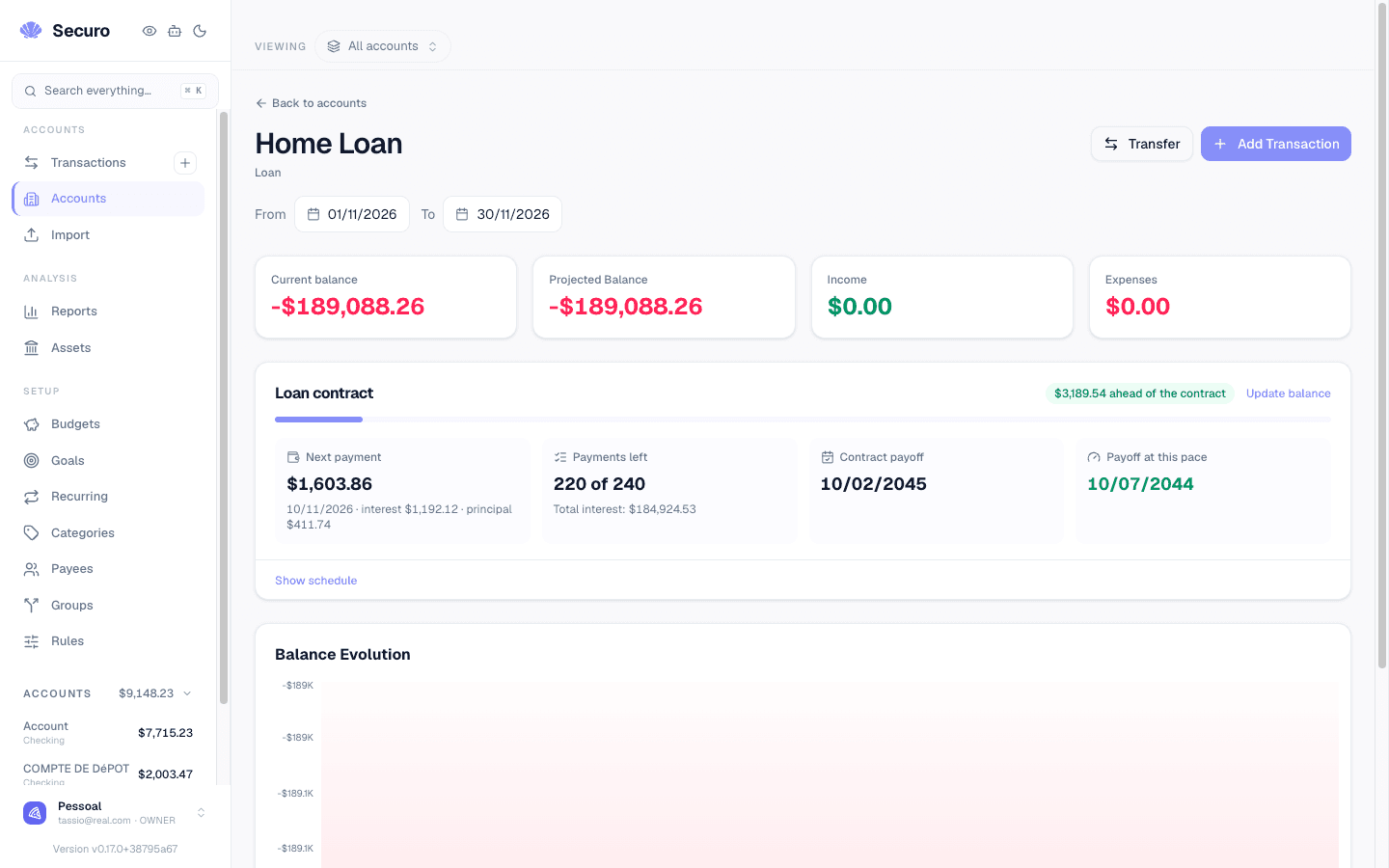
Once the terms are set, the account page shows a Loan contract card:
- Next payment, already split into interest and principal for the coming date
- Payments left (e.g. 187 of 360) with a payment-progress bar
- Total interest still to be paid under the contract
- Contract payoff date, and a payoff at this pace projection based on how fast you are actually paying it down, saying how far ahead or behind the contract you are
- A status pill: on schedule, paid off, or behind
Show schedule opens the full computed schedule, one row per installment with date, payment, interest, principal and remaining balance. It opens on the current installment, not at the start of a thirty-year mortgage.
The schedule is computed on read, never stored, so changing a term instantly re-derives everything.
Keeping the Balance in Line With the Lender
Indexed or renegotiated contracts drift from the schedule. Update balance lets you enter the balance the lender's statement reports, with the statement date:
- If the debt grew, the difference is recorded as one transaction on the loan (a cost of the loan, in a category you pick)
- If the debt fell, the balance is corrected without counting as income
- If the ledger already matches, nothing is recorded
The preview says which of the three will happen before you save.
Loans Secured Against a Property
A loan can name the asset it is secured against, typically a piece of real estate:
- The property's detail panel lists its linked loans, the debt on each, and the equity left: the property's value minus the debt secured against it
- A recorded mortgage payment can be split into principal and interest against the property, so the money that buys back equity is visible where it matters. When the loan is bank-managed (synced), the bank already reports the balance, so the split is saved without posting the principal again
Loans From a Bank Connection
A bank-synced account can also carry loan terms: a loan override attaches the contract to the connected account, and the debt keeps the right sign through every sync. The contract card, the schedule and the payoff work exactly as they do on a manual loan account.
Where Loans Show Up
- Dashboard: loans are their own row, not folded into the available balance
- Net worth: the outstanding debt counts as a liability
- Sidebar: loan accounts appear with the rest, labeled by their outstanding debt
Paying a loan is a normal transaction on the loan account. The contract card watches the schedule; the transactions keep the numbers honest.